CSS fill-Eigenschaft
Die CSS-Eigenschaft fill füllt die Farbe eines SVG-Elements. Diese Eigenschaft ist veraltet. Beispiele ansehen.
Die CSS-Eigenschaft fill wird verwendet, um die Innenfarbe einer SVG-Form festzulegen. Sie akzeptiert Farbwerte, none, currentColor und url()-Referenzen.
Webfarben können Sie mit unserem Color Picker-Tool und im Abschnitt HTML-Farben finden.
| Anfangswert | currentColor |
|---|---|
| Gilt für | Alle SVG-Formen, Text- und textPath-Elemente. |
| Vererbbar | Ja. |
| Animierbar | Ja. |
| Version | SVG 1.1 |
| DOM-Syntax | object.style.fill = "#8ebf42"; |
Syntax
Syntax der CSS fill-Eigenschaft
fill: color | none | currentColor | url(<id>) | initial | inherit;Beispiel der fill-Eigenschaft:
<!DOCTYPE html>
<html>
  <head>
    <title>Title of the document</title>
    <style>
      circle {
        fill: #1c87c9;
      }
    </style>
  </head>
  <body>
    <svg viewBox="0 0 100 100">
      <circle cx="50" cy="50" r="50" />
    </svg>
  </body>
</html>Ergebnis
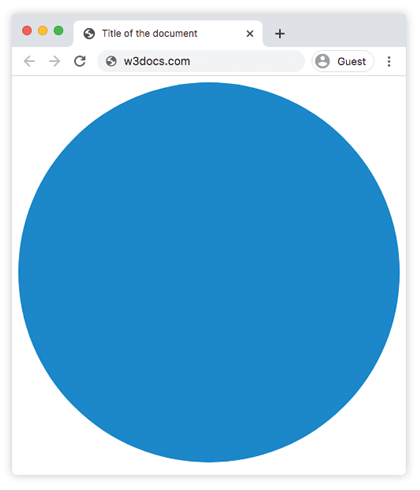
Beispiel der fill-Eigenschaft mit dem Wert "color":
<!DOCTYPE html>
<html>
  <head>
    <title>Title of the document</title>
    <style>
      .fill-1 {
        fill: red;
      }
      .fill-2 {
        fill: #228B22;
      }
      .fill-3 {
        fill: rgb(255, 165, 0);
      }
      .fill-4 {
        fill: hsl(248, 53%, 58%)
      }
    </style>
  </head>
  <body>
    <h3>CSS | fill</h3>
    <div class="container">
      <svg viewBox="0 0 800 800">
        <circle class="fill-1" cx="150" cy="150" r="50" />
        <circle class="fill-2" cx="300" cy="150" r="50" />
        <circle class="fill-3" cx="450" cy="150" r="50" />
        <circle class="fill-4" cx="600" cy="150" r="50" />
      </svg>
    </div>
  </body>
</html>Beispiel der fill-Eigenschaft mit dem Wert "currentColor":
<!DOCTYPE html>
<html>
  <head>
    <title>Title of the document</title>
    <style>
      .text-container {
        color: #1c87c9;
      }
      .fill-current {
        fill: currentColor;
      }
    </style>
  </head>
  <body>
    <div class="text-container">
      <svg viewBox="0 0 100 100">
        <circle class="fill-current" cx="50" cy="50" r="50" />
      </svg>
    </div>
  </body>
</html>Beispiel der fill-Eigenschaft mit Mustern:
<!DOCTYPE html>
<html>
  <head>
    <title>Title of the document</title>
    <style>
      .fill-pattern-1 {
        fill: url(#pattern-one);
      }
      .fill-pattern-2 {
        fill: url(#pattern-two);
      }
    </style>
  </head>
  <body>
    <h3>Fill</h3>
    <div class="container">
      <svg viewBox="0 0 800 800">
        <defs>
          <pattern id="pattern-one" viewBox="0 0 11 11" width="15%" height="15%" patternUnits="objectBoundingBox">
            <circle r="10" fill="green" />
          </pattern>
          <pattern id="pattern-two" viewBox="0 0 9 9" width="15%" height="15%" patternUnits="objectBoundingBox">
            <rect height="4" width="4" fill="red" />
          </pattern>
        </defs>
        <circle class="fill-pattern-1" cx="150" cy="150" r="55" />
        <circle class="fill-pattern-2" cx="300" cy="150" r="55" />
      </svg>
    </div>
  </body>
</html>SVG und die fill-Eigenschaft
Die fill-Eigenschaft macht SVG flexibler als herkömmliche Bilddateien. Zum Beispiel benötigen Standardbilddateien wie JPG, GIF oder PNG separate Versionen für verschiedene Farbschemata. Mit SVG können wir die Symbolfarben mithilfe dieser Eigenschaft ändern, ohne zusätzliche Dateien zu benötigen. Dies ist mit dem folgenden Code möglich:
Werte der CSS fill-Eigenschaft
.icon {
  fill: pink;
}

.icon-secondary {
  fill: yellow;
}Werte
| Wert | Beschreibung |
|---|---|
| color | Gibt die Farbe der Form an. Standardmäßig wird der berechnete color-Wert des Elements verwendet. Farbnamen, Hexadezimalcodes, rgb(), rgba(), hsl() und hsla() können verwendet werden. Außerdem werden url()-Referenzen auf Muster oder Verläufe akzeptiert, die im Abschnitt <defs> definiert sind. |
| none | Macht die Form transparent. |
| currentColor | Setzt die Füllfarbe auf die aktuelle Textfarbe des Elements. |
| initial | Setzt die Eigenschaft auf ihren Standardwert zurück. |
| inherit | Erbt die Eigenschaft vom übergeordneten Element. |
Übung
Übung
Welche Aspekte beeinflusst die 'fill'-Eigenschaft in CSS bei SVG-Elementen?
Was this page helpful?