CSS text-decoration-style Eigenschaft
Die CSS-Eigenschaft text-decoration-style legt den Stil der Textdekoration fest. Werte und Beispiele auf einen Blick.
Die CSS-Eigenschaft text-decoration-style legt den Linienstil von Dekorationen fest, die durch text-decoration-line hinzugefügt werden – also Unterstreichung, Überstreichung oder Durchstreichung. Die verfügbaren Stile sind solid, double, dotted, dashed und wavy.
Allein bewirkt diese Eigenschaft nichts Sichtbares: Ein Linienstil ist nur dann erkennbar, wenn eine Linie vorhanden ist, die gestylt werden soll. Daher wird sie fast immer zusammen mit text-decoration-line (oder dem Kurzschreibweise-Property text-decoration verwendet, das Linie, Stil und Farbe auf einmal setzen kann.
Diese Seite erklärt die Syntax, jeden Wert mit einem ausführbaren Beispiel und zeigt, wo jeder Stil am nützlichsten ist.
Wann verwenden?
wavyist die häufigste Wahl abseits des Standards – sie imitiert die rote Wellenlinie, die Rechtschreibprüfungen zeichnen, und signalisiert damit „hier ist Aufmerksamkeit nötig." Es ist auch der Stil, den Browser für Rechtschreib- und Grammatikfehler verwenden.dottedunddashederzeugen eine weichere, leichtere Unterstreichung als eine durchgehende Linie – praktisch für dezente Links oder Fußnoten.doublezeichnet zwei dünne parallele Linien, nützlich für Überschriften oder um etwas Stärkeres als eine normale Unterstreichung zu signalisieren.solidist der Standardwert – er muss nur geschrieben werden, um einen geerbten oder per Kurzschreibweise gesetzten Stil zu überschreiben.
Da die Eigenschaft nicht vererbt und nicht animierbar ist, setze sie auf das Element, dessen Dekoration du gestalten möchtest; ein Übergang zwischen Stilen ist nicht möglich.
Die Eigenschaft text-decoration-style gehört zu den CSS3-Eigenschaften.
| Anfangswert | solid |
|---|---|
| Gilt für | Alle Elemente. Gilt auch für ::first-letter und ::first-line. |
| Vererbt | Nein. |
| Animierbar | Nein. |
| Version | CSS3 |
| DOM-Syntax | object.style.textDecorationStyle = "dotted"; |
Syntax
CSS text-decoration-style Werte
text-decoration-style: solid | double | dotted | dashed | wavy | initial | inherit;Beispiel der text-decoration-style Eigenschaft:
text-decoration-style Beispiel
<!DOCTYPE html>
<html>
  <head>
    <title>Title of the document</title>
    <style>
      div {
        text-decoration-line: underline;
        text-decoration-style: solid;
        text-decoration-color: #1c87c9;
      }
    </style>
  </head>
  <body>
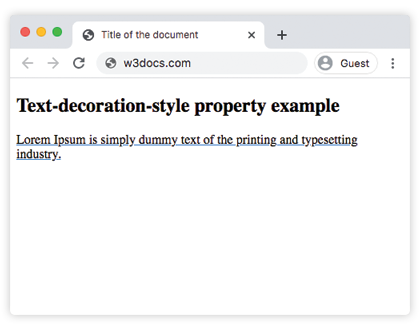
    <h2>Text-decoration-style property example</h2>
    <div>Lorem Ipsum is simply dummy text of the printing and typesetting industry.</div>
  </body>
</html>Ergebnis
Beispiel der text-decoration-style Eigenschaft mit dem Wert "wavy":
text-decoration-style wavy code example
<!DOCTYPE html>
<html>
  <head>
    <title>Title of the document</title>
    <style>
      div {
        text-decoration-line: underline;
        text-decoration-style: wavy;
        text-decoration-color: #1c87c9;
      }
    </style>
  </head>
  <body>
    <h2>Text-decoration-style property example</h2>
    <div>Lorem Ipsum is simply dummy text of the printing and typesetting industry.</div>
  </body>
</html>Beispiel der text-decoration-style Eigenschaft mit dem Wert "dotted":
text-decoration-style dotted code example
<!DOCTYPE html>
<html>
  <head>
    <title>Title of the document</title>
    <style>
      div {
        text-decoration-line: overline;
        text-decoration-style: dotted;
        text-decoration-color: #1c87c9;
      }
    </style>
  </head>
  <body>
    <h2>Text-decoration-style property example</h2>
    <div>Lorem Ipsum is simply dummy text of the printing and typesetting industry.</div>
  </body>
</html>Beispiel der text-decoration-style Eigenschaft mit dem Wert "dashed":
text-decoration-style dashed code example
<!DOCTYPE html>
<html>
  <head>
    <title>Title of the document</title>
    <style>
      div {
        text-decoration-line: overline;
        text-decoration-style: dashed;
        text-decoration-color: #1c87c9;
      }
    </style>
  </head>
  <body>
    <h2>Text-decoration-style property example</h2>
    <div>
      Lorem Ipsum is simply dummy text of the printing and typesetting industry.
    </div>
  </body>
</html>Beispiel der text-decoration-style Eigenschaft mit dem Wert "double":
text-decoration-style double code example
<!DOCTYPE html>
<html>
  <head>
    <title>Title of the document</title>
    <style>
      div {
        text-decoration-line: overline underline;
        text-decoration-style: double;
        text-decoration-color: #1c87c9;
      }
    </style>
  </head>
  <body>
    <h2>Text-decoration-style property example</h2>
    <div>
      Lorem Ipsum is simply dummy text of the printing and typesetting industry.
    </div>
  </body>
</html>Beispiel der text-decoration-style Eigenschaft mit allen Werten:
text-decoration-style all values example
<!DOCTYPE html>
<html>
  <head>
    <title>Title of the document</title>
    <style>
      div {
        margin: 20px 0;
      }
      div.t1 {
        text-decoration-line: overline underline;
        text-decoration-style: solid;
      }
      div.t2 {
        text-decoration-line: line-through;
        text-decoration-style: wavy;
      }
      div.t3 {
        text-decoration-line: overline underline;
        text-decoration-style: double;
      }
      div.t4 {
        text-decoration-line: overline;
        text-decoration-style: dashed;
      }
      div.t5 {
        text-decoration-line: line-through;
        text-decoration-style: dotted;
      }
    </style>
  </head>
  <body>
    <h2>Text-decoration-style property example</h2>
    <div class="t1">
      Lorem Ipsum is simply dummy text of the printing and typesetting industry.
    </div>
    <div class="t2">
      Lorem Ipsum is simply dummy text of the printing and typesetting industry.
    </div>
    <div class="t3">
      Lorem Ipsum is simply dummy text of the printing and typesetting industry.
    </div>
    <div class="t4">
      Lorem Ipsum is simply dummy text of the printing and typesetting industry.
    </div>
    <div class="t5">
      Lorem Ipsum is simply dummy text of the printing and typesetting industry.
    </div>
  </body>
</html>Werte
| Wert | Beschreibung | Ausprobieren |
|---|---|---|
| solid | Definiert eine einzelne Linie. Dies ist der Standardwert dieser Eigenschaft. | Ausprobieren » |
| double | Definiert eine doppelte Linie. | Ausprobieren » |
| dotted | Definiert eine gepunktete Linie. | Ausprobieren » |
| dashed | Definiert eine gestrichelte Linie. | Ausprobieren » |
| wavy | Definiert eine wellige Linie. | Ausprobieren » |
| initial | Setzt die Eigenschaft auf ihren Standardwert. | Ausprobieren » |
| inherit | Erbt die Eigenschaft vom übergeordneten Element. |
Browser-Unterstützung
text-decoration-style wird von allen modernen Browsern unterstützt (Chrome, Edge, Firefox, Safari und Opera). Der Stil wavy wird in diesen Browsern einheitlich dargestellt. Heutzutage sind weder Vendor-Präfixe noch Fallback-Lösungen erforderlich; in Browsern, die die Eigenschaft nicht unterstützten, fiel die Dekoration einfach auf eine durchgehende Linie zurück, sodass sie stets sauber degradiert hat.
Verwandte Eigenschaften
- text-decoration-line — legt fest, welche Linie(n) erscheinen (Unterstreichung, Überstreichung, Durchstreichung).
- text-decoration-color — setzt die Farbe der Dekoration.
- text-decoration — die Kurzschreibweise, die Linie, Stil und Farbe in einer Deklaration setzt.